|
|
Create Passage or Text |
Generate Reading Passages or Text
Use this option to create original reading passages based on grade level, subject, genre, and a specific topic.

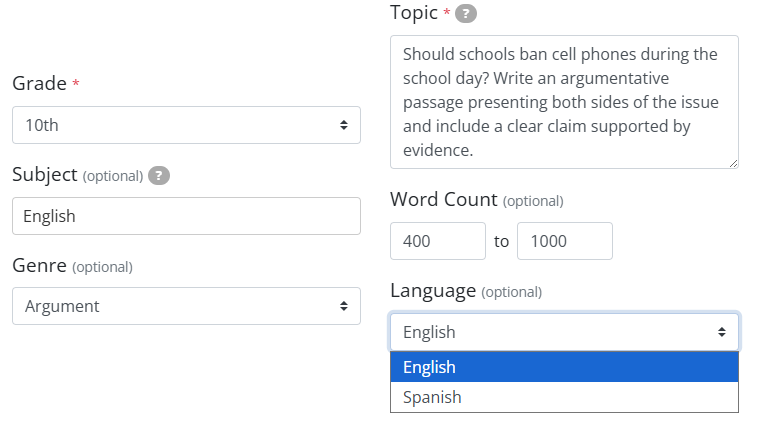
- Select the grade level to set reading complexity.
- Optionally enter a subject area and/or genre.
- In the Topic field, describe the theme in detail.
- Set a minimum and/or maximum word count if desired.
- Click Generate Passage.
After the passage is generated, you can review and edit it directly.
You then have two options:
- Regenerate Passage if you adjust settings or want a different version.
- Add Passage to Activity to insert it into your Activity.

Reminder: Always review AI-generated content for accuracy and appropriateness before assigning it to students.
Are you new to Classwork.com? Welcome!
Click here to start your 30 day risk-free PRO trial today.
Was this article helpful?
That’s Great!
Thank you for your feedback
Sorry! We couldn't be helpful
Thank you for your feedback
Feedback sent
We appreciate your effort and will try to fix the article