|
|
Trash |
View and Restore Deleted Activities
Click Trash from the More dropdown to view Activities that have been deleted.
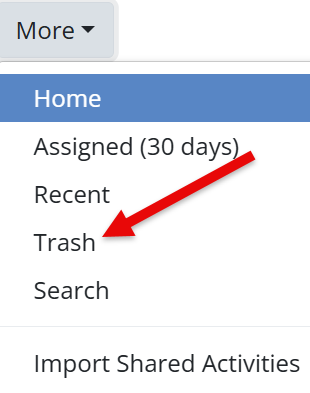
This view shows:
- The Activity title
- When it was originally created
- When it was deleted
Restore an Activity
To restore a deleted Activity:
- Check the box to the left of the Activity name.
- A menu will appear above the list.

Preview
- If one Activity is selected, click Preview (eye icon) to view the student version.
- If multiple Activities are selected, Preview is disabled.
Restore
- Click Restore to open a confirmation window.
- Select Confirm Restore to return the Activity to your main Activities page.

Restored Activities will reappear in your full Activity list, ready to use.
Are you new to Classwork.com? Welcome!
Click here to start your 30 day risk-free PRO trial today.
Was this article helpful?
That’s Great!
Thank you for your feedback
Sorry! We couldn't be helpful
Thank you for your feedback
Feedback sent
We appreciate your effort and will try to fix the article