|
|
Search |
Search for Activities
Use the Search option to find Activities by title, assignment status, sharing status, or by when they were created or modified.
Open the Search Tool
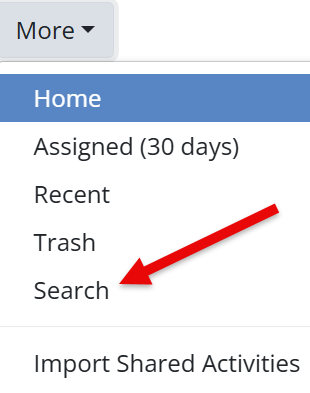
- From the Activities page, click the More dropdown.
- Select Search.
Search Filters
You can narrow results using these filters:
- Title – Enter part of a title (capitalization does not matter)
- Assigned – Show assigned or unassigned Activities
- Shared – Find Activities shared via link
- Created – Filter by original creation date
- Modified – Filter by last edited date
You can combine multiple filters to refine your results.
Search results appear in a full-screen view. Click any Activity to open it for editing or assigning.
Are you new to Classwork.com? Welcome!
Click here to start your 30 day risk-free PRO trial today.
Was this article helpful?
That’s Great!
Thank you for your feedback
Sorry! We couldn't be helpful
Thank you for your feedback
Feedback sent
We appreciate your effort and will try to fix the article