|
|
Import Shared Activites |
Import Shared Activities
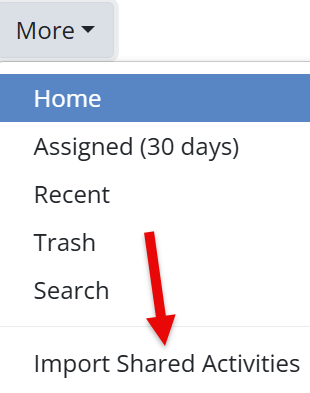
Click Import Shared Activities from the More dropdown to bring in Activities shared with you via link.
You can paste:
- A single share link
- Multiple links at once
After pasting the link or links, click Import from sharing text.

This is useful for:
- Teachers sharing Activities with one another
- Administrators distributing Activities to staff
Imported Activities will appear on your main Activities page, ready to edit or assign.
New to sharing?
Are you new to Classwork.com? Welcome!
Click here to start your 30 day risk-free PRO trial today.
Was this article helpful?
That’s Great!
Thank you for your feedback
Sorry! We couldn't be helpful
Thank you for your feedback
Feedback sent
We appreciate your effort and will try to fix the article