|
|
Reviewing Student Work |
Review and Grade Student Work
Classwork.com allows you to monitor student progress in real time, review submissions, provide feedback, and return graded work.
Open the Assignment Detail Screen
To review student work:
- Go to your Activities page.
- Click the name of the activity.
- Click the name of the assignment linked to that activity.
This opens the Activity Detail screen.
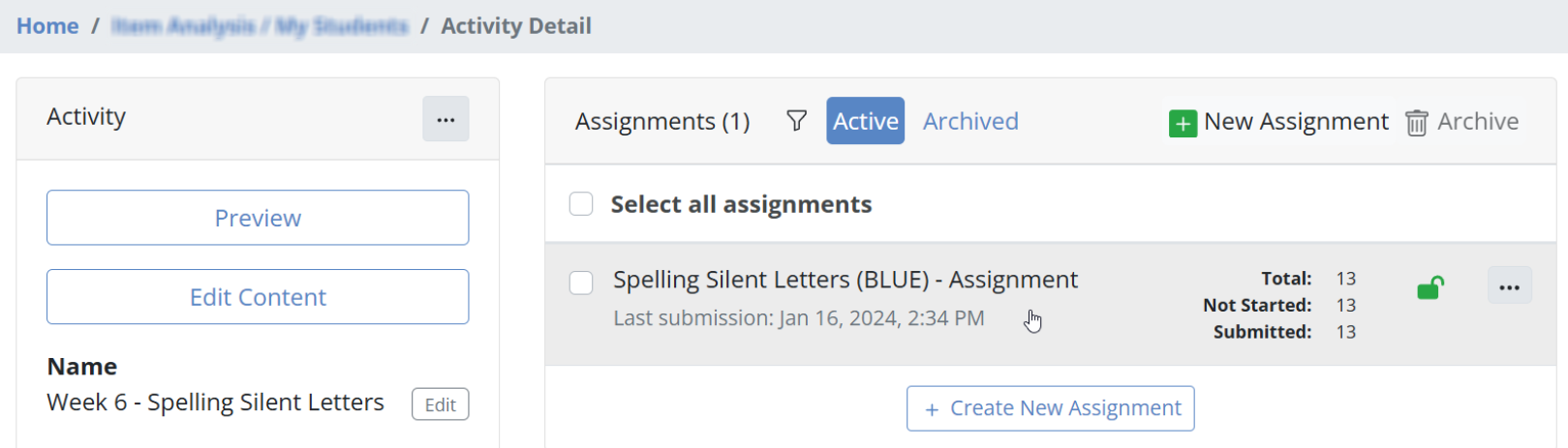
Click the assignment again to open the Assignment Detail screen. You will see all students currently working and those who have submitted.
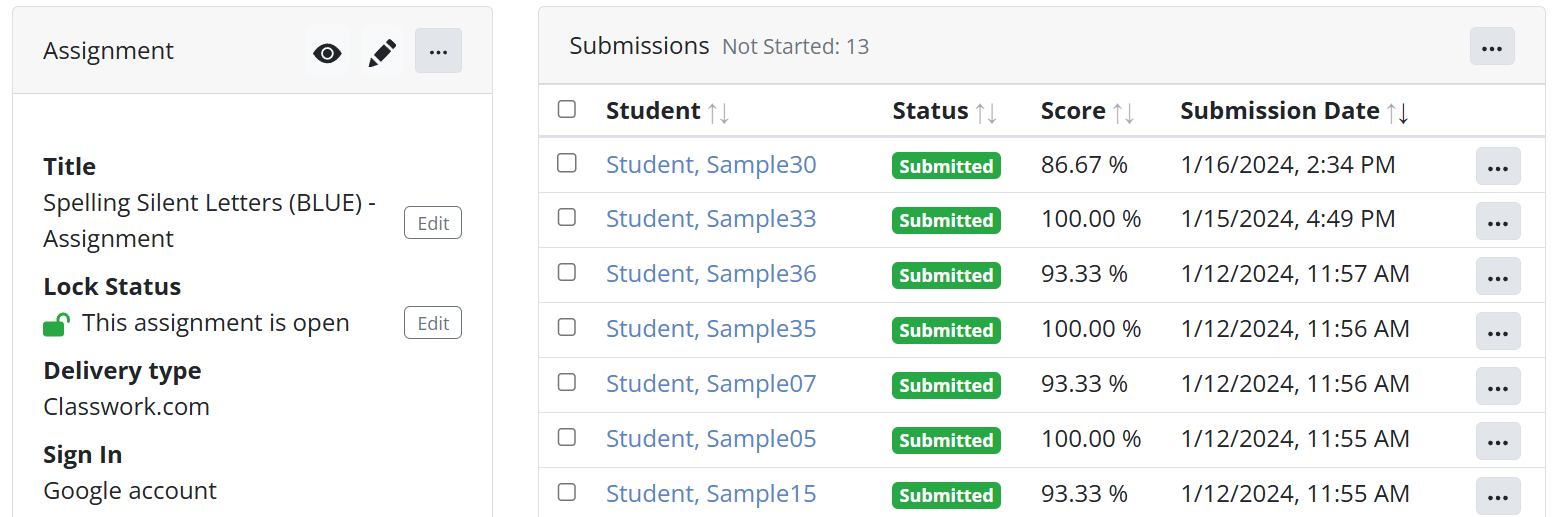
From this screen, you can view:
- Student name
- Online status
- Assignment status (In Progress, Submitted, Returned)
- Score
- Submission date
Review a Student Submission
Click a student name to open their submission.
Use the navigation panel to move between students:

- Use the left and right arrows to switch students.
- Use the dropdown menu to jump to a specific student.
A green circle next to a student name indicates the student is currently online.
Inside a submission, you can:
- View all responses, including auto-graded questions marked correct or incorrect.
- Use the slide navigation to move through the assignment.

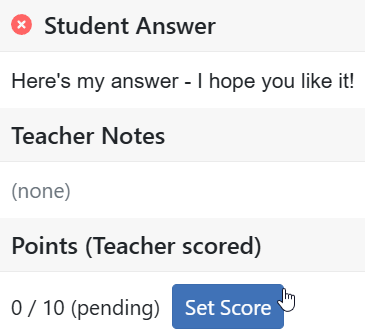
For Open Answer questions, click the student response and select Set Score to manually grade.
Give Feedback
While reviewing work, you can add annotations. Students will see feedback the next time they open the assignment. If they are still working, feedback appears immediately.
Available feedback tools include:
- Text
- Drawing
- Stickers

Finalize the Score and Return Work
In the left-side menu of a submission, you can manage grading and return the assignment.
Options include:
- View time on task and status
- Review submission details
- Accept the auto-graded score
- Add bonus points
- Override with a custom score
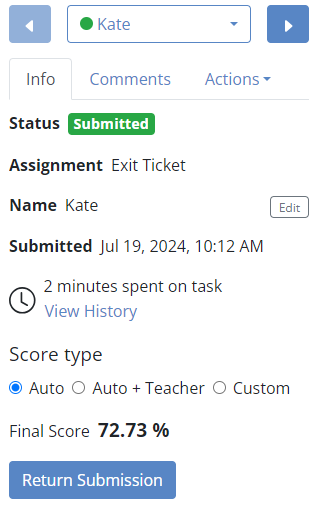
When finished, click Return Submission to send the graded work back to the student.
Students can access returned work by reopening the assignment.
You Are Ready
You now know how to:
- Monitor student progress
- Review submissions
- Grade Open Answer responses
- Provide feedback
- Return student work
You are ready to continue using Classwork.com with confidence.
Was this article helpful?
That’s Great!
Thank you for your feedback
Sorry! We couldn't be helpful
Thank you for your feedback
Feedback sent
We appreciate your effort and will try to fix the article